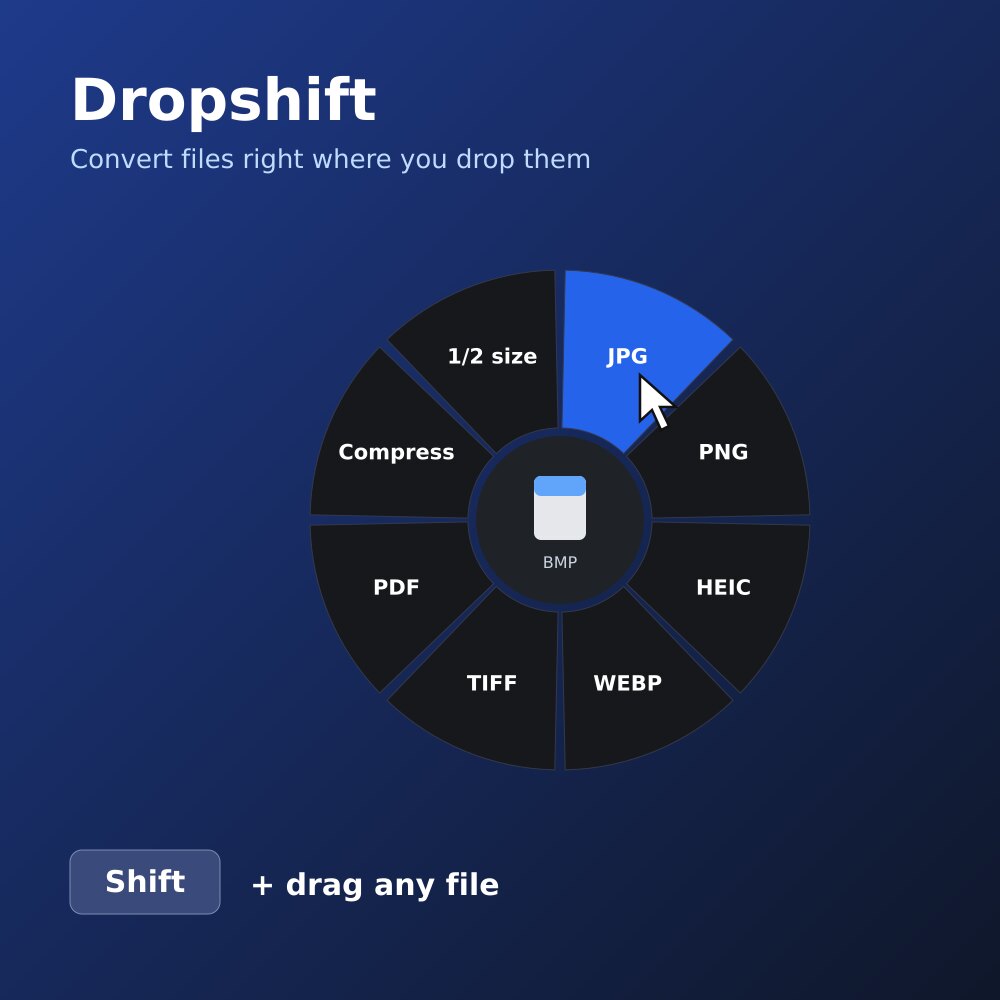
Hold Shift while you drag a file. A radial menu appears under the cursor with exactly the conversions that make sense for that file. Drop it on one — done, next to the original.

You upload private files to a site you don't know, wait, then download again.
An image editor for HEIC, another tool for video, Word for PDF. Every time.
Export, Save As, pick format, pick quality, pick folder… for a 2-second job.
Dropshift reads the format and only proposes what makes sense. The source format is never offered back to you.
| You drag | You can drop it on |
|---|---|
| Images | JPG · PNG · HEIC · WEBP · TIFF · GIF · ICO · PDF · Compress · ½ size · Merge into one PDF also reads RAW camera photos, AVIF, PSD |
| Video | MP4 · MOV · MKV · WEBM · AVI · GIF · MP3 / WAV (extract audio) · Compress |
| Audio | MP3 · M4A · WAV · FLAC · OGG · OPUS · AIFF |
| PNG / JPG (one per page) · DOCX · TXT · Split pages · Compress · Merge | |
| Word | PDF · DOCX · DOC · ODT · RTF · TXT · HTML |
| Excel | XLSX · XLS · ODS · CSV · PDF |
| PowerPoint | PDF · PPTX · PPT · ODP · PNG (one per slide) |
| CAD | DWG · DXF · PDF · PNG · SVG · DWG 2013 |
| Any file or folder | ZIP · and drop a ZIP to extract it |
Word, Excel and PowerPoint files use Microsoft Office (Windows) or the free LibreOffice. DWG drawings use the free ODA File Converter. Dropshift tells you if one is missing.
HEIC from the iPhone to JPG, PNG to WEBP for the web, a folder of photos into one PDF.
MOV to MP4, a clip to GIF, audio out of a video — hardware-accelerated.
Any format to MP3, M4A, WAV, FLAC or AIFF.
Pages to images, text out of a PDF, smaller PDFs for email.
DOCX, RTF, ODT and HTML to PDF or to each other.
Drag many files at once: they're all converted, or merged into one PDF.
Hold Shift while dragging any file: a radial menu shows the conversions that fit its format. Images, video, audio, PDF and documents — 100% on your Mac or PC.
Start dragging any file from Finder or the Desktop.
The radial menu opens under the cursor with the formats for that file.
Drop on a format. The converted file appears next to the original.
macOS 14 Sonoma or newer, Apple Silicon.
Windows 10 (2004+) or Windows 11, 64-bit.
No. Every conversion runs locally on your Mac or PC. Dropshift doesn't need an internet connection.
Mac: macOS 14 Sonoma or newer, Apple Silicon. Windows: Windows 10 (2004+) or 11, 64-bit. On Windows, documents (DOCX, RTF, ODT) are converted with Microsoft Word or LibreOffice if installed.
No Accessibility permission. It only asks to send notifications.
Each license is for one platform. Using both? Write to contact@cornelcaba.com.
No. One-time license, with free 0.x updates.
Shift, drag, drop. Dropshift does the rest, on your Mac or PC.
Get early access